
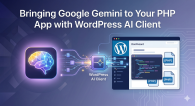
The WordPress ecosystem is rapidly evolving, and integrating generative AI is no longer a luxury – it’s a necessity for modern automation and content creation. If you’re building PHP-based tools or WordPress plugins, the wordpress-ai-client offers a standardised, fluent way to interact with various AI providers.
Why WordPress AI Client?
Instead of writing custom API wrappers for every AI service, wordpress-ai-client provides a unified interface. Whether you’re using OpenAI, Anthropic, or Google, your code remains clean and maintainable.
Prerequisites
- Install Composer
- Get a Google AI API Key
Step 1: Install the Packages
To get started, we need the core client, the Google provider, and a few helper libraries. This includes Guzzle for HTTP requests and Parsedown for rendering AI-generated Markdown.
Open your terminal and run:
composer require wordpress/php-ai-client
composer require wordpress/ai-provider-for-google
composer require guzzlehttp/guzzle
composer require erusev/parsedown
Step 2: Configure the Provider
Once the packages are installed, we need to register the Google provider and set your API key. It’s important to set the `GOOGLE_API_KEY` before registering the provider so it’s picked up automatically.
include 'vendor/autoload.php';

use WordPress\AiClient\AiClient;
use WordPress\GoogleAiProvider\Provider\GoogleProvider;

// 1. Set your API key securely
putenv('GOOGLE_API_KEY=YOUR-GOOGLE-AI-API-KEY');

// 2. Register the provider with the default registry
$registry = AiClient::defaultRegistry();
$registry->registerProvider(GoogleProvider::class);
Step 3: Generating Content with the Fluent API
One of the best features of this library is the PromptBuilder. It allows you to chain methods to configure your request.
Here’s how you can generate a response using the Gemini 2.5 Flash model:
// 3. Simple text generation
$result = AiClient::prompt('Write a short intro about PHP and AI.')
    ->usingProvider('google')
    ->usingModelPreference('gemini-2.5-flash')
    ->generateTextResult();

// Output the raw text
echo $result->toText();
Step 4: Rendering Markdown Like a Pro
AI models often return content formatted in Markdown. To make this look great on your website, you can use `Parsedown` to convert that Markdown into HTML.
$Parsedown = new Parsedown();

// Convert and echo the rendered HTML
echo $Parsedown->text($result->toText());
Conclusion
With just a few lines of code, you’ve integrated one of the most powerful AI models into your PHP application. The wordpress-ai-client ensures that if you ever decide to switch providers or models in the future, your implementation won’t break.
Ready to build something amazing? Check out the full documentation on GitHub and start experimenting!