After a recent server upgrade, I had to install Subversion (SVN) to support some legacy code repositories I use (newer projects now use Github). As SVN isn’t directly supported by EasyApache 4, I had to go about setting up support for Apache myself. This tutorial explains how to achieve a similar setup.
Prerequisites
- You’re running a cPanel on a CentOS server
- EasyApache 4
- Apache 2.4 installed
1. Setup the Software
Before we begin, you need to install a couple of software packages to your system using yum. This can be done by running the following command as root:
| # run as root | |
| yum install ea-apache24-devel subversion |
2. Download, Configure and Install the SVN Apache Module
You can then download and setup the Subversion Apache module required to get SVN working on your server. Start by downloading the version of SVN you wish to use (in the below example, I’m using v1.7.14). You’ll need to configure SVN to look for the correct files on your server for it to work with EasyApache – this can be achieved by running the command on Line 14.
| # move to home directory | |
| cd ~/ | |
| # download svn source | |
| wget https://archive.apache.org/dist/subversion/subversion-1.7.14.tar.bz2 | |
| # extract source | |
| tar -xzvf subversion-1.7.14.tar.bz2 | |
| # enter extracted directory | |
| cd subversion-1.7.14 | |
| # configure svn | |
| ./configure --with-apr=/opt/cpanel/ea-apr16/bin/apr-1-config --with-apr-util=/opt/cpanel/ea-apr16/bin/apu-1-config --with-apxs=/usr/bin/apxs --with-neon=/usr/local | |
| # make and install | |
| make && make install |
Depends on the version of Apache on your system, the paths in the above command lines may be different. The paths used above are correct for CentOS systems at time of writing: 10th May 2018.
3. Enable the SVN Module
If the installation goes well above, the make install command would have installed the required SVN modules to your system in the /usr/lib64/apache2/modules/ folder. Again, see the installation log in case the path is different.
Verify that the following two files are now in the modules folder:
mod_dav_svn.somod_authz_svn.so
You can then update the Apache configuration on your system to enable these modules. This can be done with WHM on your system by navigating to [Service Configuration] > [Apache Configuration] > [Include Editor].
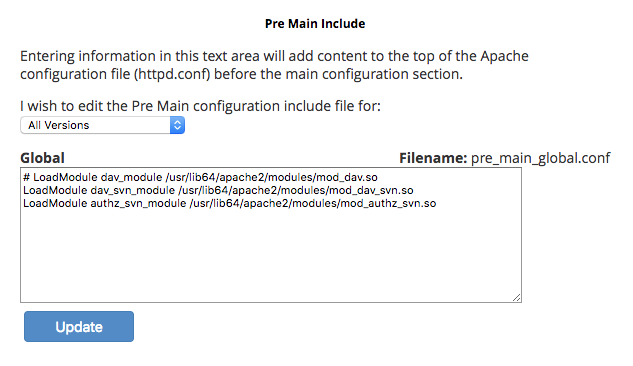
Here, you want to edit the “Pre Main Include” section with the following lines, and then update the settings:
| # enable the svn apache modules | |
| LoadModule dav_svn_module /usr/lib64/apache2/modules/mod_dav_svn.so | |
| LoadModule authz_svn_module /usr/lib64/apache2/modules/mod_authz_svn.so |
If there are no errors reported by WHM, the SVN module was successfully enabled and setup.
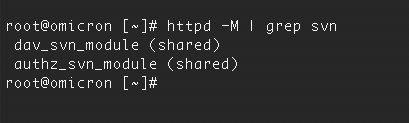
You can further verify this by running the following command on your server via SSH:
| # find installed svn apache modules | |
| httpd -M | grep svn |
This command will produce a list of Apache modules with SVN in the name: