


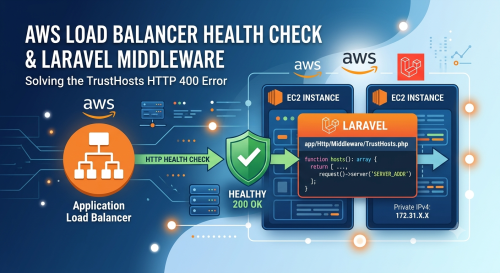
Setting up an AWS Application Load Balancer (ALB) and keeping your target groups healthy can sometimes throw a few curveballs. I recently ran into an issue where a Laravel application’s ELB Health Checks were consistently failing.
The culprit? Laravel’s built-in TrustHosts middleware. This middleware blocks any incoming requests to the application that do not explicitly match your configured APP_URL, causing AWS to receive an error instead of a success code.
See if the Health Check is Failing
While the AWS EC2 Target Groups console will tell you that your health checks are failing, checking your server’s web server logs will tell you why. If you are running Apache, you can inspect your access logs to see the incoming health check requests.
Run the following command to filter for the AWS Load Balancer user-agent:
tail -n 100 /var/log/apache2/access.log | grep 'ELB-HealthChecker'This command parses the access.log file and isolates the health check requests. The output will likely look something like this:
- 172.31.34.83 - - [09/Jul/2026:11:22:52 +0000] "GET /login HTTP/1.1" 400 1002 "-" "ELB-HealthChecker/2.0"
- 172.31.28.149 - - [09/Jul/2026:11:23:09 +0000] "GET /login HTTP/1.1" 400 1002 "-" "ELB-HealthChecker/2.0"
- 172.31.13.152 - - [09/Jul/2026:11:23:09 +0000] "GET /login HTTP/1.1" 400 1002 "-" "ELB-HealthChecker/2.0"
Notice the 400 status code. Because the AWS Load Balancer hits your EC2 instance directly via its private IP address, Laravel’s TrustHosts middleware rejects the request as untrusted and throws an HTTP 400 Bad Request error.
The Fix
To resolve this, we need to instruct the TrustHosts middleware to allow the instance’s private network traffic. You can hardcode your specific EC2 Private IP (found under EC2 > Instances > Private IPv4 addresses). Open app/Http/Middleware/TrustHosts.php and update the hosts() method:
<?php

namespace App\Http\Middleware;

use Illuminate\Http\Middleware\TrustHosts as Middleware;

class TrustHosts extends Middleware
{
    /**
     * Get the host patterns that should be trusted.
     *
     * @return array<int, string|null>
     */
    public function hosts(): array
    {
        return [
            $this->allSubdomainsOfApplicationUrl(),
            // Trust the server's own internal IP address for AWS Health Checks
            'xx.xx.xx.xx',
        ];
    }
}
A more robust approach is to dynamically include the server’s current internal IP. This ensures that if your instance restarts or spins up in an Auto Scaling Group with a new IP, the health check won’t break again.
<?php

namespace App\Http\Middleware;

use Illuminate\Http\Middleware\TrustHosts as Middleware;

class TrustHosts extends Middleware
{
    /**
     * Get the host patterns that should be trusted.
     *
     * @return array<int, string|null>
     */
    public function hosts(): array
    {
        return [
            $this->allSubdomainsOfApplicationUrl(),
            // Dynamically trust the server's own internal IP address for AWS Health Checks
            request()->server('SERVER_ADDR'),
        ];
    }
}
Verification
After saving the file and allowing about 10 minutes for AWS to cycle through its health check intervals, your Target Group should report the hosts as Healthy.
You can confirm everything is working smoothly by tailing your Apache access.log file again. You should now see a stream of successful 200 OK status codes:
- 172.31.34.83 - - [09/Jul/2026:11:35:53 +0000] "GET /login HTTP/1.1" 200 3149 "-" "ELB-HealthChecker/2.0"
- 172.31.13.152 - - [09/Jul/2026:11:36:10 +0000] "GET /login HTTP/1.1" 200 3153 "-" "ELB-HealthChecker/2.0"
- 172.31.28.149 - - [09/Jul/2026:11:36:09 +0000] "GET /login HTTP/1.1" 200 3152 "-" "ELB-HealthChecker/2.0"